
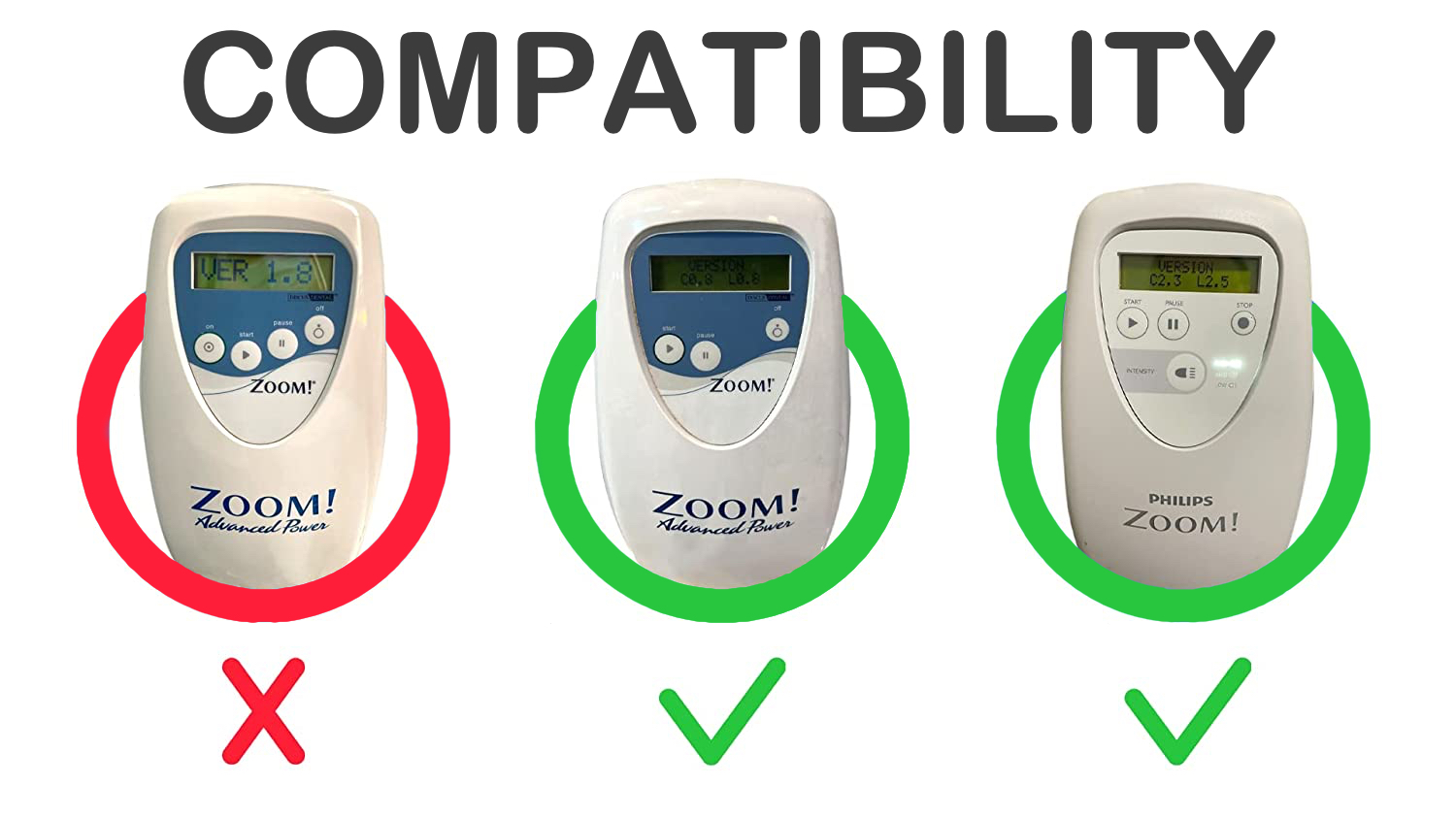
Infinite Whitening is compatible with Philips Zoom WhiteSpeed (4th generation) and Philips Zoom Advanced Power / Power Plus (3rd generation). Any Philips Zoom device manufactured after 2010 is supported. Check yout Philips Zoom’s compatibility.
How to Check Whether Your Philips Zoom Is Compatible
Look at the name on your unit and its control panel. If it is a Philips Zoom WhiteSpeed or an Advanced Power / Power Plus system, the Infinite Whitening Activation Chip is designed for it. If you are unsure which version you have, send us a photo of the control panel through the contact page or on WhatsApp and we will confirm compatibility before you order.
Which Infinite Whitening Product Fits Your System?
- The Activation Chip is a card you mount onto your own used light guide.
- The Activation Kit comes pre-mounted to a light guide, so you plug it in and start. Browse the options in the shop.
Both reset the four-session counter every time you switch the system off and on, so a compatible light guide that remains physically suitable for use can be used for unlimited sessions. The installation guide shows each version step by step.
Philips Zoom Compatibility FAQ
Does it work with older Philips Zoom units?
Any Philips Zoom device manufactured after 2010 is supported.
Does the voltage matter?
No. Infinite Whitening is compatible with all regional Philips Zoom voltage standards (110V to 240V).
Can patients or home users use it?
No. Infinite Whitening is intended exclusively for qualified dental professionals.
For more questions about sessions, warranty and replacement, see the light guide FAQ.
Compatible Models
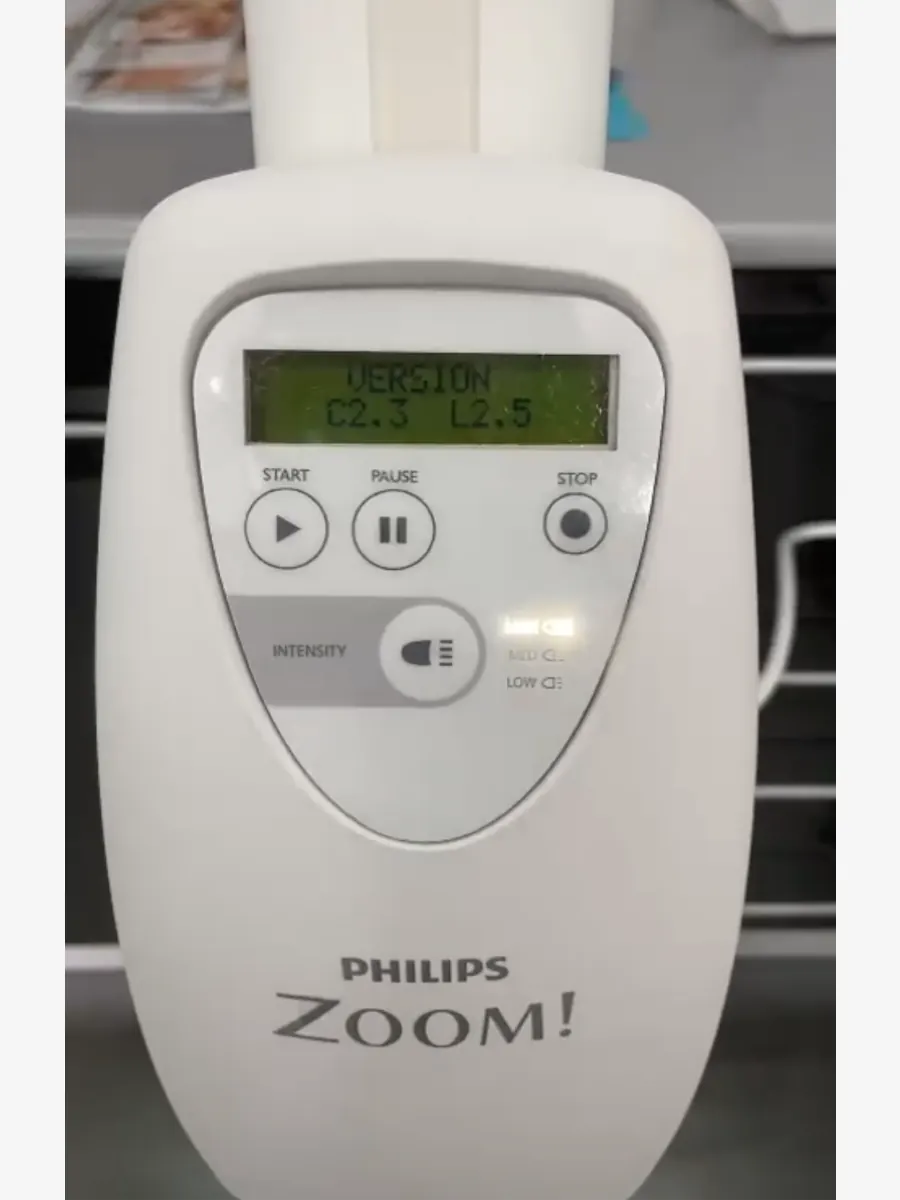
Latest generation
Philips Zoom WhiteSpeed
Compatible
C2.3 L2.3
C2.3 L2.5
and all newer versions
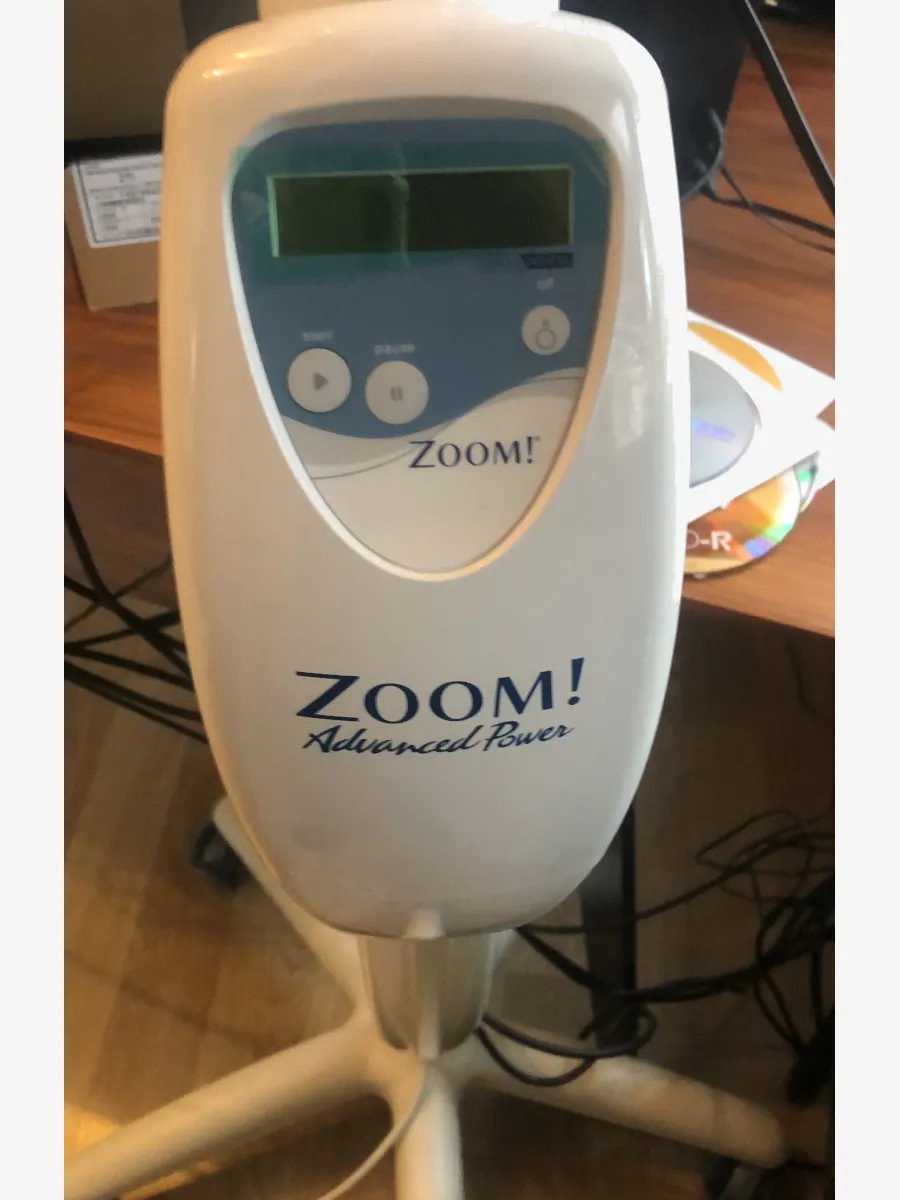
Previous Generation
Philips Zoom Advanced Power / Power Plus
Compatible
C0.8 L0.8
C0.9 L0.9
and all newer versions
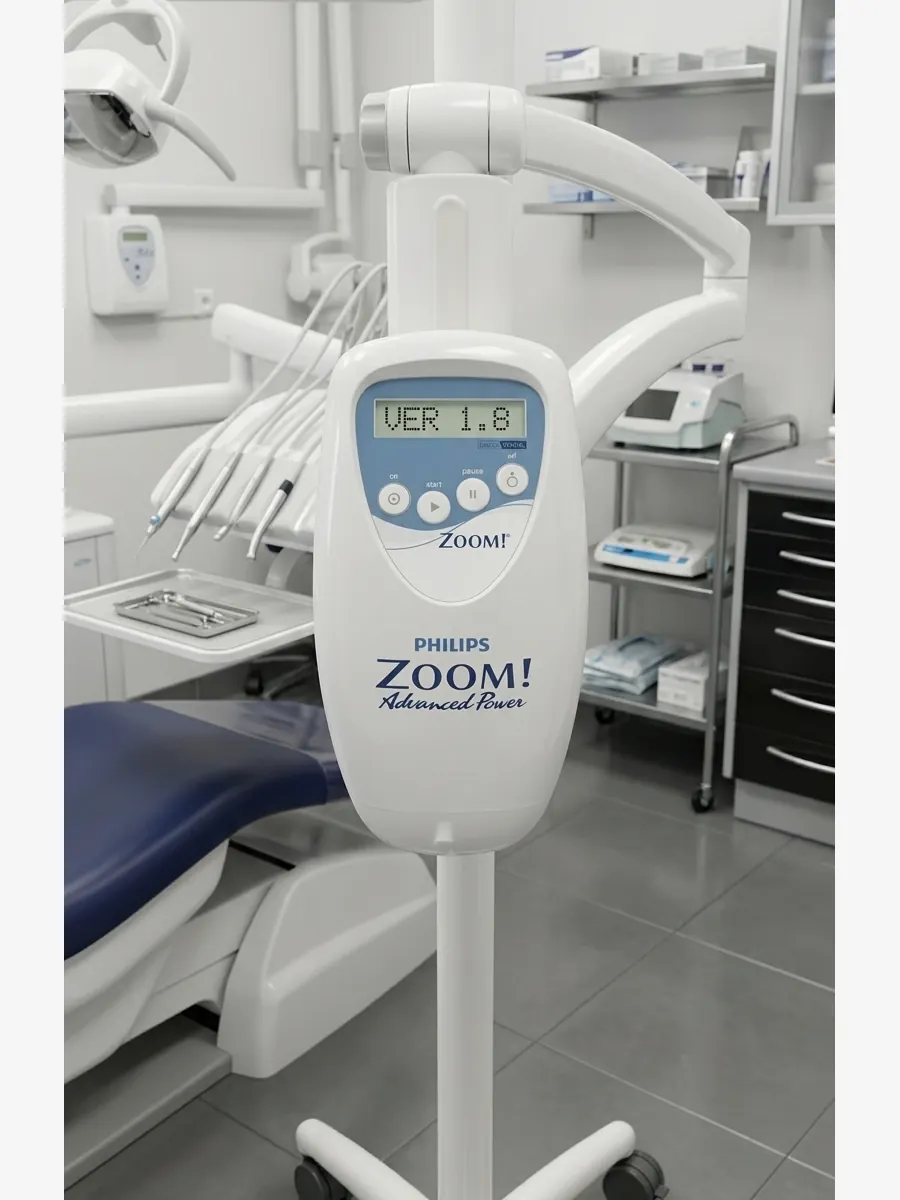
Obsolete Generation
Philips Zoom
Not compatible
C1.8
How to Find Your Model Version
Turn on your Philips Zoom device and watch the control panel display during startup. The version code appears briefly on screen in the format VERSION C#.# L#.# — as shown in the photo below. If your version matches the compatible list above, you are ready to order.
- Power on the Philips Zoom device.
- Watch the control panel display during the startup sequence.
- Note the version code shown — format: VERSION C#.# L#.#
- Compare with the compatible versions listed above.
Compatibility Check
Not Sure About Your Model?
If you cannot identify the version code during startup, send a photo of your
Philips Zoom control panel via WhatsApp. Compatibility will be confirmed
within hours — before you place an order.
What Happens After Confirming Compatibility?
Card only
The chip card alone, which you mount to an existing used light guide yourself.
Takes a few minutes and saves additional cost. Installation instructions
and video are included.
Card + light guide
The chip pre-mounted to a light guide — ready to plug in immediately.
No installation required. Both versions come with a 10-year warranty
and 30-day money-back guarantee.


